Technology Abuse
The silent abuse

Technology Abuse
Technology abuse can also be called technology-facilitated abuse or tech abuse is the use of digital tools (phones, apps, online accounts, social media, GPS/Bluetooth trackers, Wi-Fi cameras, smart-home devices and car telematics) to monitor, stalk, harass, impersonate, financially control, threaten, or isolate a partner or ex-partner as part of Coercive Control.
Common tactics
-
Surveillance & stalking: GPS tracking, Bluetooth/AirTag stalking, vehicle telematics and “find my device” features; hidden Wi-Fi cameras; spyware/stalkerware; monitoring email/social media logins; location history and check-ins.
-
Account takeover & identity abuse: password guessing or theft, SMS interception, SIM-swap, abuse of two-factor authentication (2FA), recovery codes, security questions; iCloud/Google Family Sharing misuse; email forwarding and backup codes to retain access.
-
Harassment & intimidation: doxxing; threatening messages, deepfake/edited content; sextortion; mass calls/texts; spoofed caller ID; impersonation on messaging apps and social platforms.
-
Smart home (IoT) abuse: control of locks, cameras, speakers, thermostats, lights; routine or geofence automations used to scare or signal surveillance; voice assistant history as surveillance data.
-
Financial technology abuse: access to online banking, digital wallets and buy-now-pay-later; coerced debt via apps; tracking deliveries/receipts; controlling passwords for bills and utilities.
-
Image-based abuse (IBA): non-consensual intimate images (NCII), threats to share private photos, cloud album or shared-drive misuse.
-
Child/Co-parenting tech misuse: parental-control or “family locator” apps weaponised to follow the survivor; school portal access used to monitor addresses/schedules.
-
Data & OSINT exploitation: scraping public records, data-broker sites, social media, breached-password dumps to locate and profile the victim.

Identifying Technology Abuse
The following is a guide to some of the key behaviours that could indicate you are a victim of technology abuse.
Bullying and Harassment
Sending insulting or threatening texts or social media messages; putting you down in social media posts; tagging you in hurtful posts or photos; posting embarrassing photos of you.
Monitoring and Stalking
Stealing or demanding to know your passwords; looking through your phone or computer without permission; using location tagging or spyware to monitor and track.
Sexual Coercion
Demanding you take or send explicit photos or videos you aren’t comfortable with; sending you explicit photos or videos without your consent
Possessiveness and control
Deciding who you can follow or be friends with online; controlling who you can text or message; demanding your constant attention through technology.
Not your Fault
It's not physical but just as damaging.
You have the right to privacy online and offline. You have the right to decide for yourself how you use photos, social media, smart home devices and other technology




Warning Signs
-
Battery drain, overheating or strange permissions on a phone; unknown “device management” profiles.
-
Logins or 2FA prompts you didn’t request; security emails for unfamiliar locations/devices.
-
Smart-home devices changing settings on their own; unexpected camera activations.
-
Parcels, rideshare drivers or food deliveries arriving you didn’t order.
-
The person seems to know your movements (work, gym, school runs) without you telling them.
-
Accounts “locked” unless you share credentials; unexplained transactions or subscriptions.
Safety Steps
-
Prioritise physical safety. If you’re in danger, call emergency services.
-
Preserve evidence: screenshots, emails/SMS headers, call logs, device serial numbers, stalkerware alerts, incidents timeline.
-
Secure critical accounts first: email, cloud, password manager, mobile carrier. Change passwords (unique + strong), rotate recovery email/phone, enable 2FA via authenticator app (not SMS), revoke sessions and sign-in tokens.
-
Assess devices carefully: update OS/apps, review app permissions, uninstall unknown or risky apps, scan for stalkerware with reputable tools, remove unknown MDM/VPN profiles, reset devices only when safe (a reset can tip off an abuser).
-
Check sharing & tracking: turn off unwanted location sharing, shared albums, calendars; audit Family Sharing/Google Family Link; review social media visibility and contact blocking.
-
Smart-home & car: change Wi-Fi/router admin password, firmware-update IoT, re-provision devices you control, reset car app access and revoke previous drivers’ accounts.
-
Phone number & carrier: add a port-out/SIM-swap PIN, disable call/text forwarding you didn’t set.
-
Get specialist help: digital safety planning, TSCM sweeps (home/car), legal advice on image-based abuse and intervention orders.
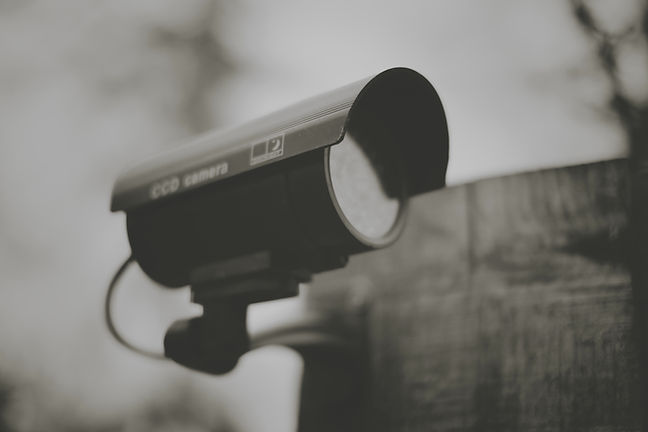
Services for Technology Abuse
TSCM (Technical Surveillance Counter-Measures) sweeps directly disrupt technology-facilitated abuse by finding, proving, and removing covert surveillance—then hardening the environment so it can’t happen again.
Learn More
Technology Abuse FAQ
Can technology abuse happen without physical access to my device?
Yes. Abusers can misuse shared cloud accounts, saved passwords, email forwarding rules, social media access, car apps and smart-home accounts to monitor or control you remotely.
Are Bluetooth trackers (e.g., AirTags) illegal to use on someone?
Using any tracker to follow a person without consent can breach stalking and surveillance laws; get legal advice and consider police if you find an unknown tracker.
What are signs of a hidden camera or covert listening device?
Unexpected LEDs, new “smart” devices on your Wi-Fi, unusual power adapters, holes/vents aimed at beds or desks, or camera names appearing in router logs.
What is stalkerware and does antivirus remove it?
Stalkerware is surveillance software designed to secretly monitor a device; some security tools detect it, but many apps hide using Accessibility/MDM profiles—get a professional check if risk is high.
Will a VPN stop technology-facilitated abuse?
A VPN can hide network traffic and location from websites, but it won’t stop account takeover, spyware, Bluetooth/GPS tracking, or smart-home abuse.
Should I get a new phone or number?
If your device/number is tightly linked to abuse (e.g., SIM-swap, call forwarding, compromised MDM), a fresh device and new number can help—plan the change safely to avoid escalation.
How do I tell if my iCloud/Google was compromised?
Check security logs: unfamiliar sign-ins, new recovery options, strange app tokens, filters/forwarding rules, and unknown devices; change passwords, move recovery info, and enable app-based 2FA.
What is a SIM-swap and how do I prevent it?
A SIM-swap ports your number to a new SIM to intercept codes/calls; add a carrier port-out/SIM PIN and strong account security with your telco.
Should I turn off location services on my phone?
You can keep core location on but revoke it for non-essential apps; disable sharing in Find My/Find Device and Family Link; audit “Always” permissions.
How do I safely collect digital evidence?
Screenshot messages/logs, export email headers, photograph hardware/trackers, note dates/times/impacts, and store copies in a cloud you alone control plus an offline backup.
What if my ex still has Family Sharing/Google Family Link access?
Remove them from Family Sharing/Link, stop location sharing, rotate your Apple/Google password and recovery info, and review shared albums/calendars.
How do I secure smart-home devices after separation?
Change router admin/Wi-Fi passwords, update firmware, factory-reset IoT devices, rebuild the “household,” and remove old accounts from vendor apps.
Can my car or car app track me?
Yes—telematics apps, shared keys and trip histories can reveal locations; reset the car infotainment, remove paired phones, and change the vehicle app password.
What is image-based abuse (NCII) and what can I do?
It’s the non-consensual sharing or threats to share intimate images; preserve evidence, seek legal advice, and pursue takedown/reporting options (including platform reporting and your national online-safety regulator).
Are password managers safe for survivors?
They’re recommended: one strong master password + 2FA protects unique passwords for each account; ensure recovery options are private and not shared.
What if the abuser works in IT or cybersecurity?
Assume higher capability: prioritise account triage (email/cloud/carrier), separate devices/identities, rotate credentials, and get specialist digital-safety support.
How do I talk to police about tech abuse?
Bring an incident log, screenshots, tracker IDs/serials, device lists, and dates/times; explain how digital abuse fits the broader coercive-control pattern.
What should I tell my workplace or school?
Ask for safety accommodations: private contact details, visitor alerts, restricted directory listings, and no disclosure of your schedule or location.
How do I protect children’s devices in co-parenting?
Use separate child accounts under your control, review parental-control settings, remove unknown devices, restrict location sharing, and create clear tech rules in parenting plans.
Does Incognito mode protect me from abuse?
No. It only limits local history; it doesn’t stop account tracking, spyware, keylogging, or network monitoring.
How often should I change passwords and Wi-Fi?
Rotate critical passwords (email/cloud/banking/password manager) after a breach or breakup and whenever you suspect access; change Wi-Fi/router credentials when living arrangements change.
What is a digital safety plan?
A survivor-centred checklist covering account security, device audits, safe communications, evidence preservation, and steps for smart-home/vehicle privacy.
Is factory reset enough to stop technology abuse?
A reset may remove malware, but it won’t fix compromised accounts, forwarding rules, shared clouds or car apps—secure accounts first and plan resets carefully.
Can I buy equipment to stop technology abuse?
Technology abuse safety equipment includes practical tools that can help reduce digital exposure, protect personal information, block unwanted access and support safer device handling in high-risk situations. Products such as USB-C Mic Blockers, USB Data Blockers, Smart Door and Window Sensors, lockable Network Cabinets, YubiKey 5C NFC security keys, Malicious Cable Detectors, Bluetooth Wireless Microphone Blockers, Faraday Bags, Mission Darkness Non-Window Faraday Bags, Off-line Password Managers and Portable Online Privacy USBs can assist with privacy, account protection, safer charging, signal blocking, tamper prevention, monitoring and reducing technology abuse risks.
Who can I contact for confidential support in Australia?
Call 1800RESPECT (1800 737 732) for 24/7 counselling and referrals; call 000 in an emergency.

Counter Surveillance
Sweeps to detect and remove hidden cameras, listening devices, GPS trackers, and digital spyware used for unauthorized monitoring. Our expert services ensure your home, vehicle, and personal technology remain secure, protecting your privacy and peace of mind.
Learn More

Property Safety
Thorough evaluation of your home, business, or facility to identify potential security risks, vulnerabilities, and safety hazards. Our expert team provides tailored recommendations to enhance overall safety, prevent unauthorized access, and ensure a secure environment for occupants and assets.
Learn More


